Runchat Updates: September 01, 2026
Major improvements to Clipchat's video editing experience, smarter agent prompts, and new model integrations for faster workflows.
We've overhauled the Clipchat interface and underlying intelligence to make video production even smoother for design professionals.
Portrait crops now feature auto-mouse follow, making it easier to record mobile-first walkthroughs of your desktop work. We added high-fidelity labeling that recognizes specific actions like circling objects with your mouse or looking at the camera. Transcripts now feature word-level highlighting as they are spoken, and parts of the transcript cut from the final video are now grayed out for better clarity. Captions can now be edited directly by clicking them in the preview, and we've added an option to hide them entirely. Setting up your videos is easier with a cleaned-up UI for crops, zooms, and look-and-feel configurations. You can now right-click the mic icon to quickly re-record and re-transcribe specific sections.
A new rendering progress bar and a notification to warn you if you close the viewer while processing is still active.
Exports are now tucked away into their own subfolder to keep your project assets organized.
Recording pickers now show edit names instead of dates, making it much faster to find the right version.
We've improved the update process with a "Check for updates" button and a live download status in the context menu.
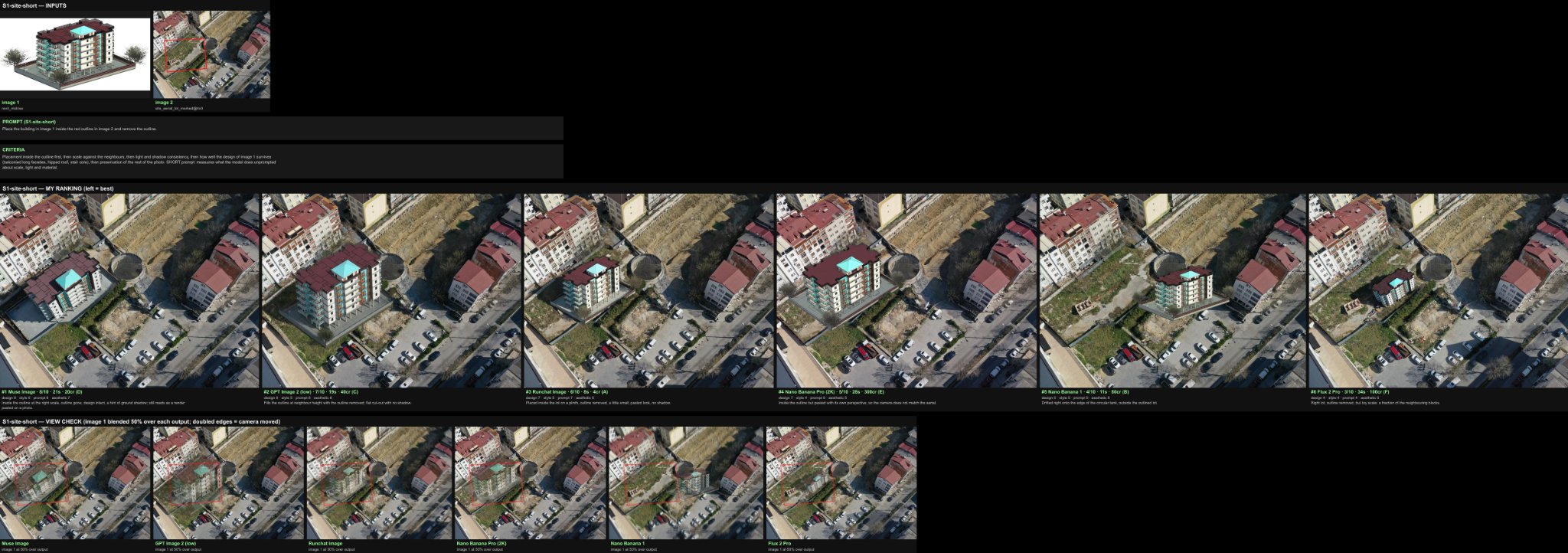
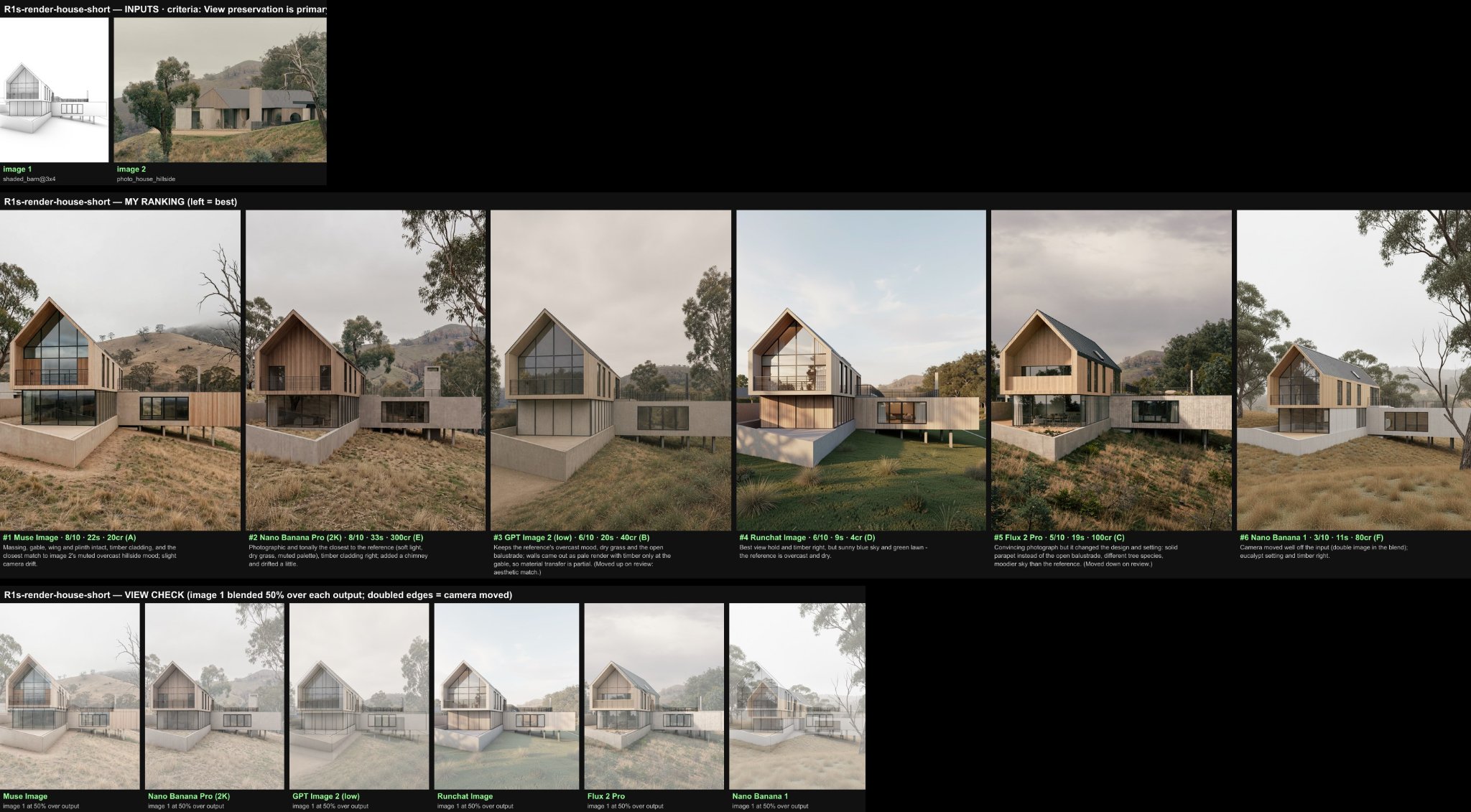
IMAGE MODEL BENCHMARKSIt can be difficult to know which model to use for which task. We've added an extensive guide and set of benchmarks to the docs https://docs.runchat.com/concepts/models/choosing-a-model - and this has revealed that Meta's Muse Image model is a great all rounder and can even do some tasks that other models fail at entirely like site placement. Give it a try!
🔌 NEW INTEGRATIONS
Muse Image by Meta is now included in the free model usage. Meta have also released Muse Spark 1.3 which is very, very cheap if you allow Meta to train on your data. To support this for users who aren't working on privacy sensitive projects, we've made it possible to opt in to using this model. We've added Omni 1.1 Flash and Fal's H3 video for fast, improved video generation performance.
UI SIMPLIFICATIONS
We've moved the publishing UI to the main Runchat menu and removed the dropdown on the workflow title bar, this was confusing people who didn't know how publishing works. We now show model configuration cards every time you switch to a different chat model, this makes it easier to set a higher reasoning effortWe suggest using the MCP more often for harder tasks that the agent struggles with